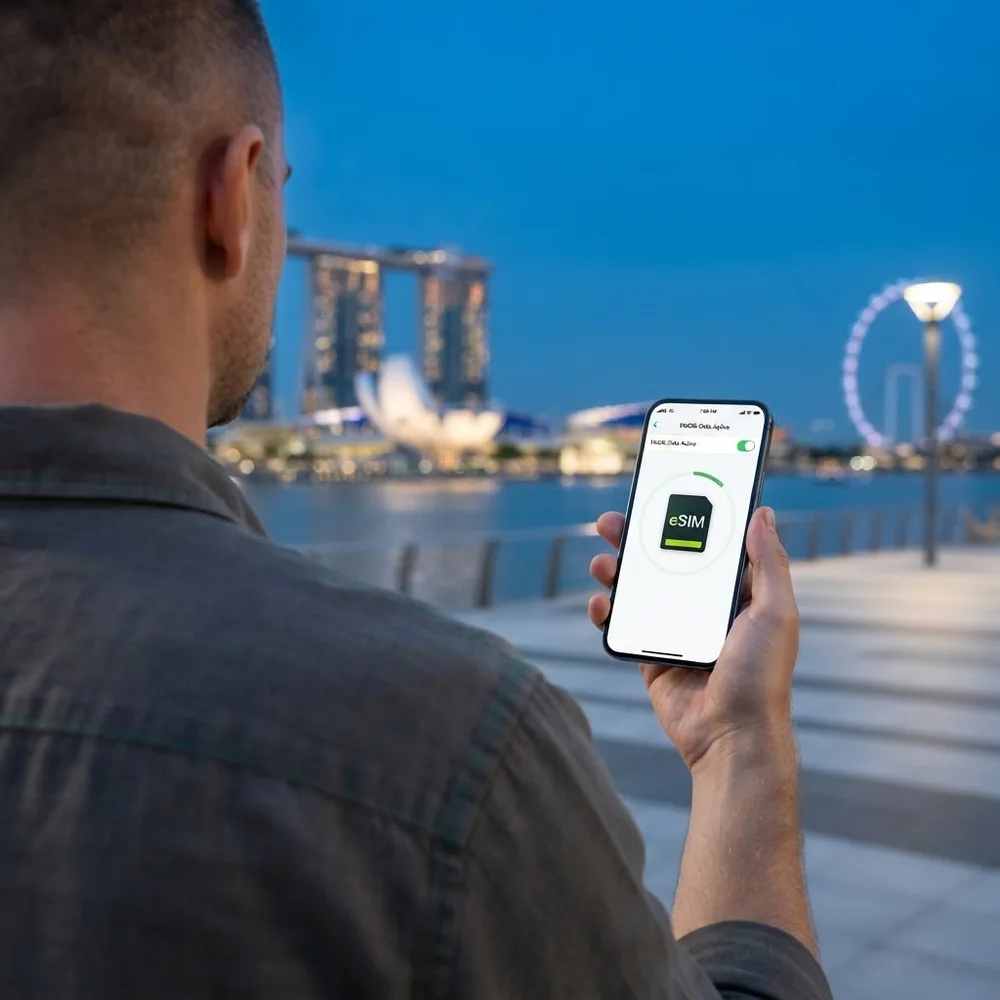
A Singapore eSIM gets you online as soon as you land at Changi – for a stopover on the way to Australia or Bali, or a full city break – with no SIM counter to find and no daily roaming bill. Choose a plan, we email the eSIM QR code within minutes and you scan it at home before you fly. Plans start at £3.11.
It is a data-only eSIM for the MRT, Grab, hawker-centre hunting, attraction tickets and messages home, while your UK SIM stays in the phone for calls and bank texts.
Do you need an eSIM for Singapore? If you stay airside at Changi, no – the airport has free Wi-Fi in its public and transit areas. Once you leave the airport, data makes the MRT, Grab and maps far easier. O2 customers can use O2’s £7 a day Travel Bolt On instead, and some plans include Singapore; for everyone else the eSIM is the cheaper choice.
eSIM Singapore plans and prices
| Plan | Valid for | Price |
|---|---|---|
| 1 GB | 7 days | £3.11 |
| 2 GB | 15 days | £4.67 |
| 1 GB | 1 day | £4.92 |
| 3 GB | 30 days | £5.44 |
| 5 GB | 30 days | £7.77 |
| Unlimited | 3 days | £8.94 |
| 3 GB | 15 days | £12.19 |
| 10 GB | 30 days | £12.44 |
| Unlimited | 5 days | £14.38 |
| 20 GB | 30 days | £17.88 |
| Unlimited | 7 days | £20.98 |
| Unlimited | 10 days | £26.81 |
| Unlimited | 15 days | £37.30 |
| Unlimited | 30 days | £53.62 |
| 50 GB | 90 days | £156.87 |
| 100 GB | 180 days | £305.89 |
Every plan is data-only and covers the whole island, including Sentosa and Jewel Changi.
Which Singapore eSIM plan should I buy?
- A one- to three-night stopover on the way to Australia, New Zealand or Bali: 1 GB for 7 days (£3.11) – enough for maps, Grab and messages, with hotel Wi-Fi at night. Stopping over again on the way home? Buy a second small plan for that leg.
- City break of four to seven days: 3 GB or 5 GB for 30 days (£5.44 / £7.77). Posting video all day? Unlimited for 3 days (£8.94).
- Business trip or conference: 10 GB for 30 days (£12.44), or 20 GB (£17.88) if you hotspot a laptop between meetings.
- Visiting family, study or a long stay: unlimited for 15 or 30 days (£37.30 / £53.62).
So what is the best eSIM for Singapore?
For most visitors, 3 GB for 30 days at £5.44: enough for a city break and still valid if your onward flight changes. Heavy user? 10 GB for 30 days (£12.44) costs less than five days of unlimited (£14.38). Skip the 1 GB one-day plan – 2 GB for 15 days (£4.67) costs less.
UK roaming in Singapore, network by network
- O2: Singapore is on the list for O2’s Travel Bolt On – £7 a day on the days you use it, with unlimited data capped at 2Mbps. Fine for one day; for longer, the eSIM is cheaper.
- Three: Singapore is a Go Roam Around the World destination. On most pay monthly plans that is £7 a day if you joined or upgraded between 1 October 2021 and 17 December 2025, £8 a day if you joined after that, with a 12GB fair-use limit.
- EE: Singapore is in EE’s Zone 1 – a 24-hour pass is £6 and a 7-day pass is £30.
- Vodafone: Singapore is in Vodafone’s Zone D, charged at £8 a day since 14 April 2026 unless your plan includes it. Check Vodafone’s Roaming Charge Checker for your tariff.
A three-night stopover at £6–£8 a day is £18–£24 for one phone, and you pay again in your next country. 3 GB for 30 days on the eSIM is £5.44.
Singapore eSIM for tourists on a stopover
Singapore is the classic halfway stop between London and Australia. Install the eSIM at home and switch it on when you land at Changi; switch it off before you fly on. Your phone can hold eSIMs for several countries, and you choose which one is used for data. Before you fly, do the paperwork: the UK government says you must complete an electronic SG Arrival Card in the 3 days before you arrive.
Is eSIM available in Singapore?
Yes. Singapore’s networks support eSIM, and Singtel sells its own tourist eSIM to foreign passport holders, registered in its app with your passport. Our eSIM needs no registration in Singapore: it is bought and installed in the UK, so you land already connected. On a travel eSIM, plan on 4G and treat 5G as a bonus.
Paying for the MRT and buses
You do not need a local travel card: UK contactless Visa and Mastercard cards work on the MRT and buses. SimplyGo charges a Foreign Bank Card Admin Fee of S$0.60 per day of use, and your bank may add its own fee.
Going on to Malaysia?
This eSIM works in Singapore only. If you cross the Causeway to Johor Bahru or fly on to Kuala Lumpur, add our Malaysia eSIM for those days. Near the border your phone may pick up a Malaysian network while you are still in Singapore; if data stops, check which line is active.
Coverage in Singapore
The eSIM uses a major Singapore network, with strong signal across the city, Marina Bay, Sentosa, the heartland estates and the MRT.
Keep your UK number for calls and bank texts
Your UK SIM stays in the phone. With two lines active, set the eSIM as your mobile-data line and leave your UK line on for calls and texts, so one-time passcodes from your bank still arrive. Switch data roaming off on the UK line, so it never uses data abroad.
- iPhone: Settings → Mobile Data (or Cellular) → choose the eSIM for Mobile Data and turn off “Allow Mobile Data Switching”. Then open the UK line and turn Data Roaming off.
- Android: Settings → Network & internet → SIMs (on Samsung: Connections → SIM manager) → set the eSIM as the mobile-data SIM and turn roaming on for the eSIM only.
Incoming texts on your UK number are usually free while roaming; making calls on it is charged at your network’s roaming rates.
How to set up your eSIM for Singapore
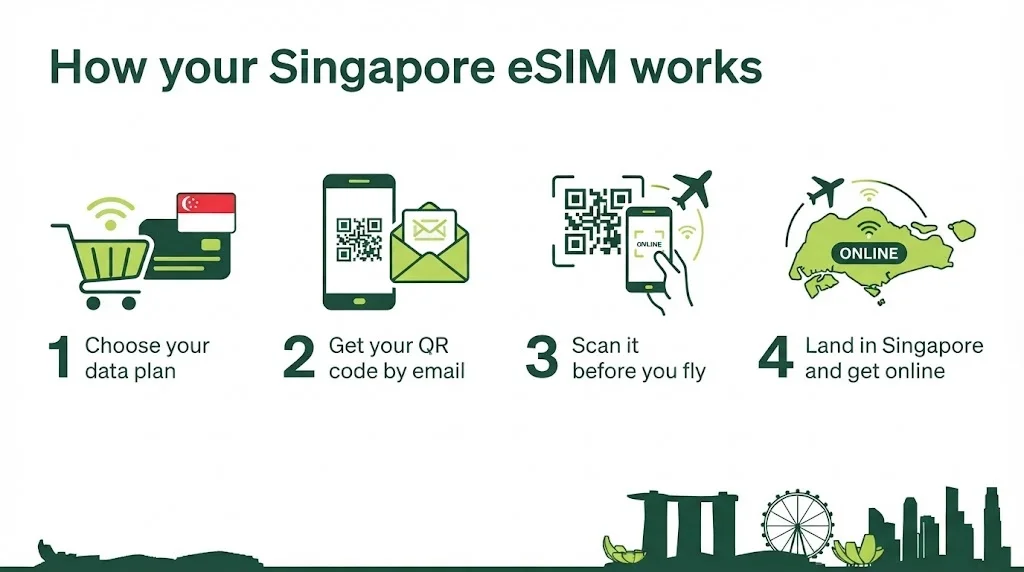
- Choose your plan and pay with PayPal, card or bank transfer.
- We email your eSIM QR code, usually within minutes. It is also saved in My account.
- At home, on Wi-Fi, go to Settings → Mobile Data (or Cellular) → Add eSIM and scan the QR code. Do this before you fly – you may not find Wi-Fi at the airport.
- When you land at Singapore Changi – or arrive by coach or ferry – switch the eSIM line on and turn on data roaming for it, then check the MRT or book a Grab.
Your phone must support eSIM and be unlocked – most iPhones from the XS onwards and recent Samsung Galaxy and Google Pixel phones do. If you see “Add eSIM” in settings, you are good to go. Phone locked to your UK network? See our unlock codes.
Questions about this eSIM
How do I get an eSIM in Singapore?
Buy it here before you fly and scan the QR code at home. Already there? Buy it on Changi or hotel Wi-Fi and scan the QR code from a second screen.
Do I need an eSIM for a short stopover in Singapore?
Not if you stay airside – Changi Wi-Fi is enough. If you leave the airport, even a small plan makes the MRT, Grab and maps easier.
Does it come with a Singapore phone number?
No – it is data-only. Your phone runs it as a dual SIM next to your UK line, so WhatsApp keeps your UK number.
Can I hotspot my laptop?
Personal hotspot usually works on travel eSIMs. Choose 10 GB or more if you will work from a laptop.
Does it work in Malaysia or Indonesia?
No – this eSIM is for Singapore only. For Malaysia, see our Malaysia eSIM.
Can I use it in the UK?
No. For a UK number, see our UK eSIMs.
Can I get a refund if my trip is cancelled?
Once the QR code has been emailed the order is complete and cannot be refunded, so please check your phone supports eSIM and choose your plan carefully before you buy.
Sources (checked October 2026): O2 Travel Bolt On destinations · Three: Go Roam prices · Three: roaming destinations · EE: roaming zones and passes · Vodafone: roaming zones and Roaming Charge Checker · Vodafone: price changes from April 2026 · UK government: Singapore entry requirements · SimplyGo: contactless bank cards · Changi Airport: free Wi-Fi. Roaming prices change – check your own network before you travel.


Reviews
There are no reviews yet.