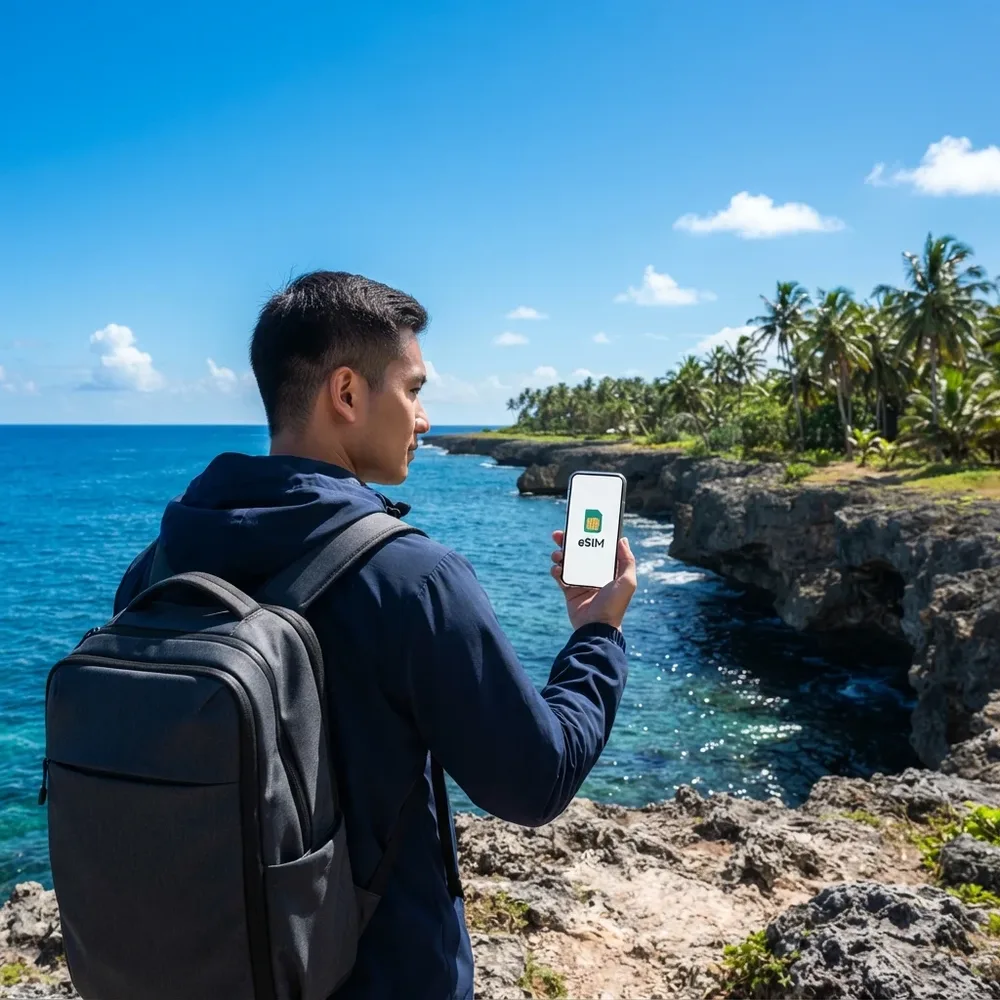
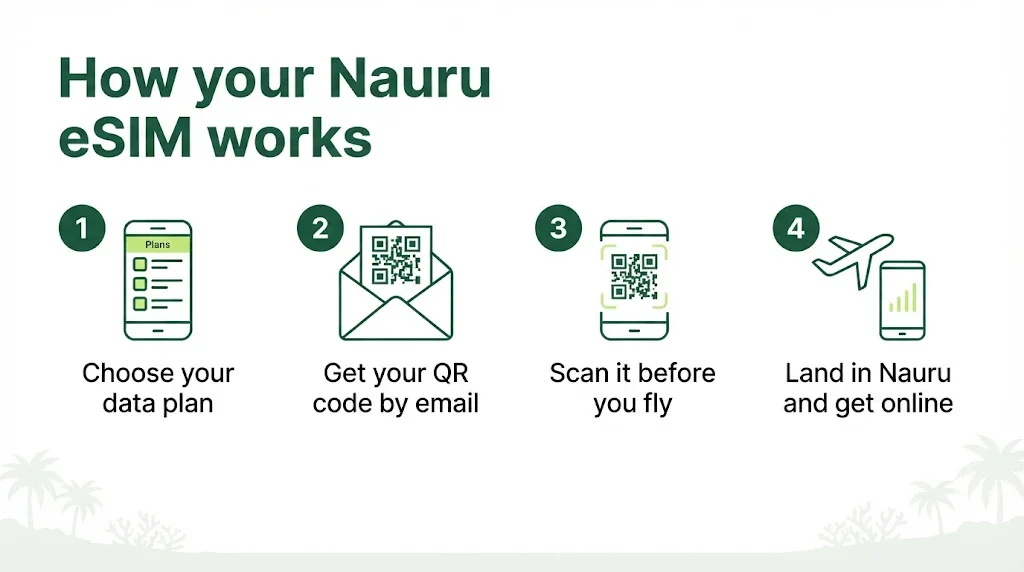
A Nauru eSIM gives you mobile data on one of the most remote islands in the Pacific, where UK SIMs have no roaming deal listed by O2, Three or EE. Choose a plan, we email the eSIM QR code within minutes and you scan it at home before you fly. Plans start at £8.61.
It is a data-only eSIM for work email, maps, messages home and WhatsApp, while your UK SIM stays in the phone for calls and bank texts.
Do you need an eSIM for Nauru? If you want to be online outside your hotel, yes. Nauru does not appear on the roaming lists of O2, Three or EE, so there is no roaming pass to buy, and your UK SIM may not connect at all.
eSIM Nauru plans and prices
| Plan | Valid for | Price |
|---|---|---|
| 1 GB | 7 days | £8.61 |
| 2 GB | 15 days | £16.22 |
| 3 GB | 30 days | £21.56 |
Every plan is data-only and covers Nauru – Yaren, the airport, the coastal ring road and Anibare Bay.
Which Nauru eSIM plan should I buy?
- A short work visit or a stopover: 1 GB for 7 days (£8.61).
- Two weeks on a contract or project: 2 GB for 15 days (£16.22).
- A month on the island: 3 GB for 30 days (£21.56) – the lowest price per gigabyte.
So what is the best eSIM for Nauru?
Match the plan to your stay. For a week, 1 GB at £8.61; for a month, 3 GB for 30 days at £21.56 costs less than buying 1 GB four times.
Does roaming work in Nauru on O2, Three, EE or Vodafone?
- O2: Nauru is not in O2’s Europe Zone or on the O2 Travel list. Check O2’s roaming checker before relying on it.
- Three: Nauru is not on any of Three’s roaming destination lists.
- EE: Nauru does not appear in any of EE’s roaming zones.
- Vodafone: Nauru is not in Vodafone’s European Zones A and B. Check Vodafone’s Roaming Charge Checker.
In short, do not count on your UK SIM for data in Nauru. Install this eSIM before you leave home.
Nauru travel tips: visa, cash and cyclones
- Visa first: UK visitors must have a visa to visit Nauru. Apply through the Nauru government well before you book.
- Bring cash: the UK government says there is only one ATM on the island, at the Menen Hotel, and it is often out of cash, and credit cards are not accepted. Take enough Australian dollars for your trip – you cannot pay your way out of trouble with a card.
- Cyclone season: from November to May there is a risk of strong winds, sea swells and tropical cyclones. Keep a little data for weather and flight updates.
- Download before you fly: save offline maps, travel documents and work files at home, so you have them even if the signal drops.
Does an eSIM work in Nauru? Coverage
Yes. Our Nauru eSIM connects to the local network. Nauru has one mobile network, Digicel Nauru, now owned by Telstra. Install the eSIM before you travel, so you are online as soon as you land.
Keep your UK number for calls and bank texts
Your UK SIM stays in the phone. With two lines active, set the eSIM as your mobile-data line and leave your UK line on for calls and texts, so one-time passcodes from your bank still arrive. Switch data roaming off on the UK line, so it never uses data abroad.
- iPhone: Settings → Mobile Data (or Cellular) → choose the eSIM for Mobile Data and turn off “Allow Mobile Data Switching”. Then open the UK line and turn Data Roaming off.
- Android: Settings → Network & internet → SIMs (on Samsung: Connections → SIM manager) → set the eSIM as the mobile-data SIM and turn roaming on for the eSIM only.
Your UK line may not register on a network in Nauru at all, so bank texts may not arrive. Before you go, set up your bank’s app approval or another sign-in method that works over data.
How to get your eSIM, before you fly or once you are in Nauru
- Choose your plan and pay with PayPal, card or bank transfer.
- We email your eSIM QR code, usually within minutes. It is also saved in My account.
- At home, on Wi-Fi, go to Settings → Mobile Data (or Cellular) → Add eSIM and scan the QR code. Do this before you fly – you may not find Wi-Fi at the airport.
- When you land at Nauru International Airport (INU) in Yaren, switch the eSIM line on and turn on data roaming for it.
Your phone must support eSIM and be unlocked – most iPhones from the XS onwards and recent Samsung Galaxy and Google Pixel phones do. If you see “Add eSIM” in settings, you are good to go.
Questions about this eSIM
Does my UK phone work in Nauru?
O2, Three and EE do not list Nauru on their roaming pages, so your UK SIM may not connect. This eSIM gives you data on the local network.
Can I pay for things with my phone in Nauru?
Do not count on it. Credit cards are not accepted and there is only one ATM, so bring Australian dollars in cash.
Does it come with a Nauruan phone number?
No – it is data-only. Your phone runs it as a dual SIM next to your UK line, so WhatsApp keeps your UK number.
Does it work in Australia or Fiji on the way?
No – it is for Nauru only. For a stop in Brisbane or elsewhere in Australia, see our Australia eSIM.
Can I use it in the UK?
No – it is a travel eSIM for Nauru. For a UK number, see our UK eSIMs.
Can I get a refund if my trip is cancelled?
Once the QR code has been emailed the order is complete and cannot be refunded, so please check your phone supports eSIM and choose your plan carefully before you buy.
Sources (checked November 2026): UK government travel advice: Nauru entry requirements · UK government travel advice: Nauru safety · O2: Europe Zone · O2 Travel destinations · O2: roaming checker · Three: roaming destinations · EE: roaming zones and passes · Vodafone: roaming zones · Vodafone: Roaming Charge Checker · Digicel Nauru · Wikipedia: mobile operators in Nauru. Roaming prices change – check your own network before you travel.

Reviews
There are no reviews yet.