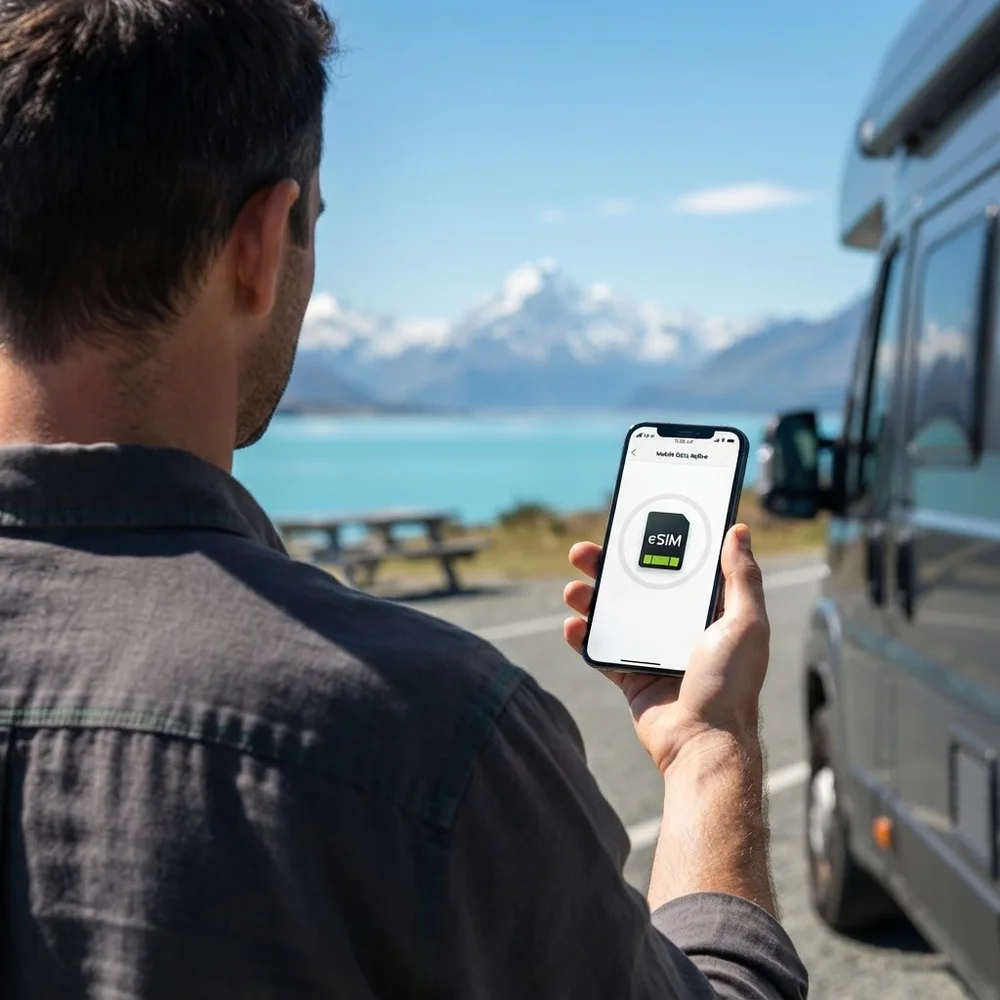
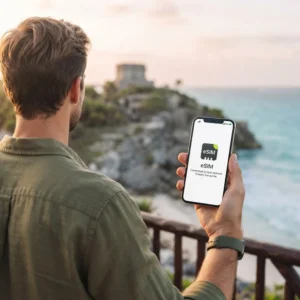
A New Zealand eSIM gets you online the moment you land in Auckland, Christchurch or Queenstown, at a fixed price with no daily roaming charge. Choose a plan, we email the eSIM QR code within minutes and you scan it at home before you fly. Plans start at £0.58.
It is a data-only eSIM for campervan navigation, DOC campsite bookings, weather and road updates, ferry times and video calls home across the time difference, while your UK SIM stays in the phone for calls and bank texts.
Do you need an eSIM for New Zealand? For most UK travellers, yes, if you want data outside your hotel. New Zealand is outside the Europe roaming zones, so UK networks charge by the day there – usually £7 or £8 on O2 and Three. Over a three-week road trip that adds up fast, and a campervan holiday runs on maps and mobile data.
eSIM New Zealand plans and prices
| Plan | Valid for | Price |
|---|---|---|
| 100 MB | 1 day | £0.58 |
| 1 GB | 1 day | £0.97 |
| 1 GB | 7 days | £1.07 |
| 3 GB | 15 days | £2.46 |
| 3 GB | 30 days | £2.73 |
| 5 GB | 30 days | £4.05 |
| 2 GB | 15 days | £5.83 |
| Unlimited | 3 days | £8.94 |
| Unlimited | 5 days | £14.38 |
| 10 GB | 30 days | £18.65 |
| Unlimited | 7 days | £20.98 |
| Unlimited | 10 days | £26.81 |
| 20 GB | 30 days | £29.53 |
| 50 GB | 90 days | £30.24 |
| Unlimited | 15 days | £37.30 |
| Unlimited | 30 days | £55.17 |
| 100 GB | 180 days | £58.96 |
Every plan is data-only and works on the North Island and the South Island.
Which New Zealand eSIM plan should I buy?
- Auckland stopover or a week in one region: 3 GB for 15 days (£2.46) or 5 GB for 30 days (£4.05).
- Two to four weeks in a campervan around both islands: 50 GB for 90 days (£30.24). Navigation, music, weather apps and a hotspot for the van add up, and it costs about the same as 20 GB for 30 days (£29.53).
- Unlimited data for a short, heavy-use trip: unlimited for 5, 7 or 10 days (£14.38 / £20.98 / £26.81) if you stream or work from the road.
- Visiting family for a month: unlimited for 30 days (£55.17), or 50 GB for 90 days if you are on family Wi-Fi most evenings.
- Working holiday: 100 GB for 180 days (£58.96) covers the first months while you find a job and an address.
So what is the best eSIM for New Zealand?
For a one- or two-week trip with hotel Wi-Fi, the 5 GB plan at £4.05: it lasts 30 days, so a delayed connection in Singapore or Dubai will not eat into it. For a campervan trip, 50 GB for 90 days at £30.24 – more than twice the data of the 20 GB plan for much the same price. In New Zealand the 10 GB plan costs more than unlimited for 5 days, so most people do better with 5 GB or 50 GB.
Looking for the best eSIM for Australia and New Zealand together? This eSIM is New Zealand only. If your trip includes Sydney or Melbourne, add our Australia eSIM – your phone can hold both and you switch the data line when you fly across the Tasman.
Is New Zealand included in my UK phone plan?
Usually not. Network by network:
- O2: New Zealand is covered by O2’s Travel Bolt On at £7 a day, charged on the days you use it.
- Three: New Zealand is a Go Roam Around the World destination – £7 a day if you joined or upgraded between 1 October 2021 and 17 December 2025, £8 a day if you joined later (£5 on some SIM Only Lite plans), with a 12GB fair-use limit.
- EE: some EE plans and roaming passes cover New Zealand and others charge a daily fee – check your own plan in the My EE app before you go.
- Vodafone: New Zealand is outside Vodafone’s Europe zone; check the daily cost for your tariff with Vodafone’s Roaming Charge Checker.
Three weeks at £7 a day is £147 for one phone. 50 GB for 90 days on a New Zealand eSIM is £30.24, and you can share it by hotspot. If your plan already includes New Zealand and the cap is enough, you may not need us.
Campervan road trips: where the signal drops
Cities and towns have strong coverage, but New Zealand is mountainous and the gaps between towns are long. The Department of Conservation says mobile coverage is limited outside Te Anau on the road to Milford Sound and is patchy in Fiordland; DOC lists reception at Te Anau Downs, Totara campsite, The Divide and Milford Sound, plus a card phone at Knobs Flat and an emergency satellite phone at the Homer Tunnel. Expect similar gaps on mountain passes, on remote stretches of the West Coast and on many Great Walks.
- Download offline maps of the South Island before you leave the van depot.
- Check road conditions and book campsites while you still have signal.
- Save booking confirmations and ferry tickets to your phone, not just in your email.
- In an emergency, dial 111. The eSIM will not create signal where no network has any.
New Zealand switched off 3G – does it matter?
New Zealand’s networks switched off 3G between December 2025 and March 2026: 2degrees first, then One NZ city by city, then Spark on 31 March 2026. For mobile data it makes no difference – any eSIM phone uses 4G or 5G for data. It can matter for normal phone calls on phones that make calls over 3G; the eSIM is data-only, and calls over WhatsApp or FaceTime run on data, so most travellers will not notice.
Coverage in New Zealand
The eSIM connects to a major New Zealand network (the three are One NZ, Spark and 2degrees), with 4G and 5G in Auckland, Wellington, Christchurch, Queenstown and the bigger towns, and 4G along the main state highways near towns. In national parks, on remote coasts and in the high country, signal is patchy on every network.
Keep your UK number for calls and bank texts
Your UK SIM stays in the phone. With two lines active, set the eSIM as your mobile-data line and leave your UK line on for calls and texts, so one-time passcodes from your bank still arrive. Switch data roaming off on the UK line, so it never uses data abroad.
- iPhone: Settings → Mobile Data (or Cellular) → choose the eSIM for Mobile Data and turn off “Allow Mobile Data Switching”. Then open the UK line and turn Data Roaming off.
- Android: Settings → Network & internet → SIMs (on Samsung: Connections → SIM manager) → set the eSIM as the mobile-data SIM and turn roaming on for the eSIM only.
Incoming texts on your UK number are usually free while roaming; making calls on it is charged at your network’s roaming rates.
How to get an eSIM for New Zealand
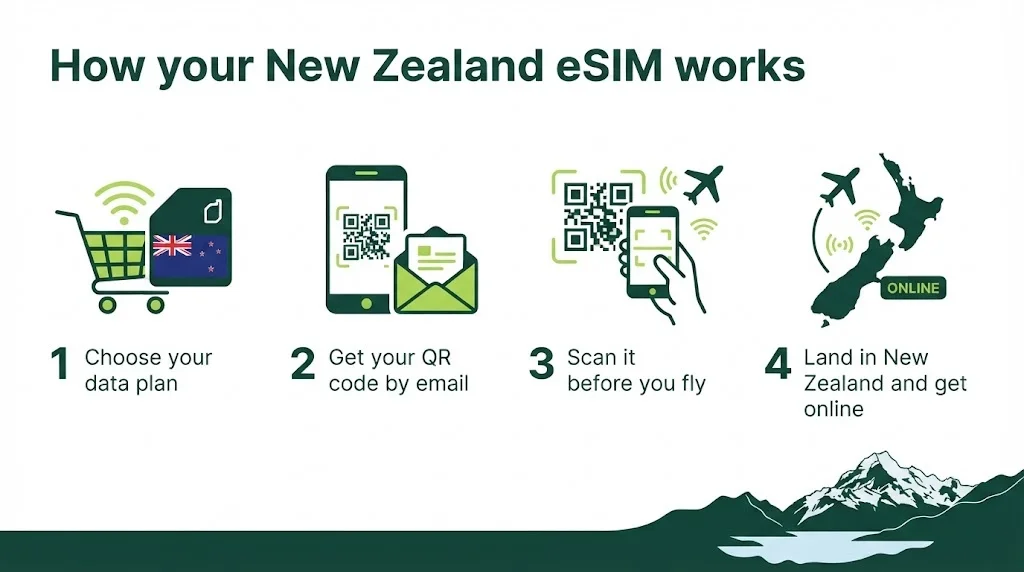
- Choose your plan and pay with PayPal, card or bank transfer.
- We email your eSIM QR code, usually within minutes. It is also saved in My account.
- At home, on Wi-Fi, go to Settings → Mobile Data (or Cellular) → Add eSIM and scan the QR code. Do this before you fly – you may not find Wi-Fi at the airport.
- When you land at Auckland, Christchurch, Queenstown or Wellington – not during your stopover – switch the eSIM line on and turn on data roaming for it, ready to find the campervan depot or your transfer.
Your phone must support eSIM and be unlocked – most iPhones from the XS onwards and recent Samsung Galaxy and Google Pixel phones do. If you see “Add eSIM” in settings, you are good to go. Phone locked to your UK network? See our unlock codes.
Questions about this eSIM
Is eSIM available in New Zealand?
Yes. New Zealand networks sell their own eSIMs, but a travel eSIM like this one is bought in the UK, installed at home and works as soon as you land, with no local plan to set up.
Does it come with a New Zealand phone number?
No – it is data-only. Your phone runs it as a dual SIM next to your UK line, so WhatsApp keeps your UK number.
Can I use it as a hotspot in the campervan?
Personal hotspot usually works on travel eSIMs. Choose 50 GB or unlimited if you will share all day.
Does it work in Australia too?
No – this eSIM is for New Zealand only. For Australia, see our Australia eSIM.
Can I use it in the UK?
No. For a UK number, see our UK eSIMs.
Can I get a refund if my trip is cancelled?
Once the QR code has been emailed the order is complete and cannot be refunded, so please check your phone supports eSIM and choose your plan carefully before you buy.
Sources (checked October 2026): O2 Travel Bolt On destinations · Three: roaming destinations · Three: Go Roam prices · Vodafone: roaming zones · RNZ: the 3G shutdown in New Zealand · Department of Conservation: journey tips for Milford Sound · Department of Conservation: Milford Road and Milford Sound area. Roaming prices and rules change – check your own network before you travel.

Reviews
There are no reviews yet.