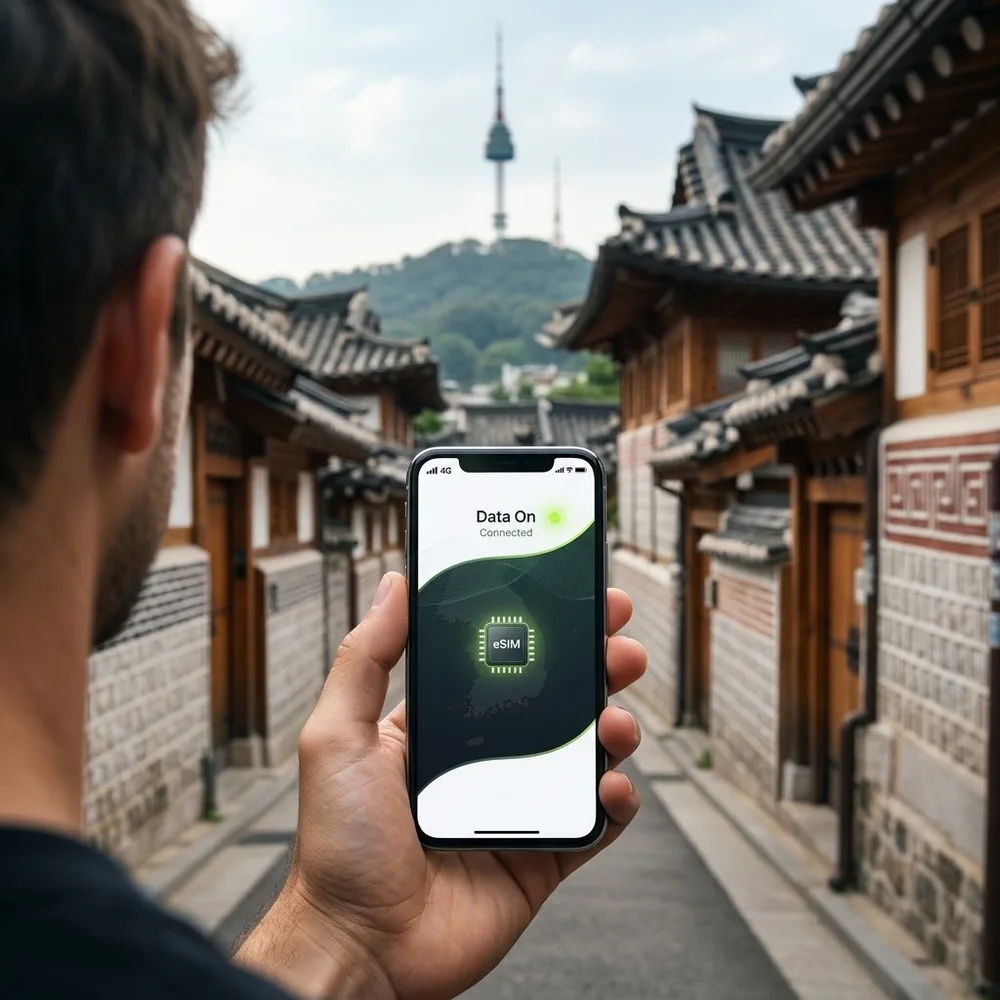
A South Korea eSIM gets you online the moment you land at Incheon – for Seoul, Busan or Jeju – with no SIM counter and no daily roaming charge. Choose a plan, we email the eSIM QR code within minutes and you scan it at home before you fly. Plans start at £3.11.
It is a data-only eSIM for Naver Map or KakaoMap, the subway and KTX, taxi apps, translating menus and WhatsApp, while your UK SIM stays in the phone for calls and bank texts.
Do you need an eSIM for South Korea? For most UK visitors, yes. Korea is not on O2’s Travel Bolt On list and is in Three’s Extra group, so most UK plans charge extra there – £7 or £8 a day on Three. In Korea you lean on map, translation and taxi apps all day, and a Korea eSIM covers that for less than three days of roaming.
eSIM South Korea plans and prices
| Plan | Valid for | Price |
|---|---|---|
| 1 GB | 7 days | £3.11 |
| 1 GB | 1 day | £4.92 |
| 2 GB | 15 days | £5.44 |
| 3 GB | 30 days | £7.00 |
| 5 GB | 30 days | £8.55 |
| Unlimited | 3 days | £9.33 |
| 3 GB | 15 days | £12.19 |
| 10 GB | 30 days | £14.77 |
| Unlimited | 5 days | £15.54 |
| Unlimited | 7 days | £22.54 |
| 20 GB | 30 days | £23.31 |
| Unlimited | 10 days | £27.20 |
| Unlimited | 15 days | £38.08 |
| Unlimited | 30 days | £53.62 |
| 50 GB | 90 days | £156.87 |
| 100 GB | 180 days | £305.89 |
Every plan is data-only and covers the whole country, including Jeju.
Which Korea eSIM plan should I buy?
- Seoul for 4–5 days: 5 GB for 30 days (£8.55).
- One to two weeks – Seoul, Busan, Gyeongju, Jeju: 10 GB for 30 days (£14.77).
- Heavy use, K-pop concerts and live video: 20 GB for 30 days (£23.31) – less than 10 days of unlimited (£27.20).
- Unlimited data for a short trip or a laptop on hotspot: unlimited for 3 or 7 days (£9.33 / £22.54).
- Teaching English or studying: 50 GB for 90 days (£156.87) while you sort out a local contract.
So what is the best eSIM for South Korea?
The 10 GB plan at £14.77. It costs less than 5 days of unlimited (£15.54), lasts 30 days, and is plenty for map apps and translation over a fortnight.
Do you need an eSIM for Korea if you are on O2, Three, EE or Vodafone?
- O2: South Korea is not on O2’s Travel Bolt On list, so O2’s standard roaming rates apply. Check O2’s rate for South Korea before you go.
- Three: on pay monthly, South Korea is in Go Roam Around the World Extra: £7 a day if you joined between 1 October 2021 and 17 December 2025, £8 if you joined later. Complete plans started from 22 June 2025 include it; plans started before October 2021 do not.
- EE: South Korea is outside EE’s Europe zone. EE’s prices outside Europe depend on your plan, so check the cost in the My EE app before you go.
- Vodafone: the price depends on your plan and on which Vodafone zone South Korea is in, so use Vodafone’s Roaming Charge Checker. Zone C and D destinations that are not in your plan cost £6 a day (plans started before 11 August 2021) or £8 a day; Rest of the World destinations are charged per megabyte.
Ten days at £8 a day is £80 per phone; the 10 GB eSIM is £14.77.
Does Google Maps work in Korea?
Only partly. In February 2026 South Korea approved Google’s request to take detailed map data abroad, which should let Google offer turn-by-turn directions. By late August 2026 Google Maps in Korea showed public transport routes but still had no turn-by-turn walking or driving directions, and Google had not given a launch date; we have found no launch announcement since. Until there is one, install Naver Map or KakaoMap before you fly – both are widely used in Korea – and check whether Google’s directions have arrived.
Taxis and apps that want a Korean number
Kakao T, a widely used Korean taxi app, needs a Kakao account made with a Korean mobile number. Korea’s tourism organisation lists apps built for visitors instead: k.ride, from the makers of Kakao T, needs no KakaoTalk sign-up, and TADA accepts an international number and a foreign card. This eSIM is data-only, so it gives you the data for those apps, while texts still arrive on your UK number. If you need a Korean number for a delivery app, buy a local SIM with your passport.
Coverage in South Korea
The eSIM connects to a major Korean network. Plan on 4G in Seoul, Busan and along the KTX lines and treat 5G as a bonus. On Hallasan, Seoraksan and remote coastal walks, signal can thin out on any network, so download offline maps.
Keep your UK number for calls and bank texts
Your UK SIM stays in the phone. With two lines active, set the eSIM as your mobile-data line and leave your UK line on for calls and texts, so one-time passcodes from your bank still arrive. Switch data roaming off on the UK line, so it never uses data abroad.
- iPhone: Settings → Mobile Data (or Cellular) → choose the eSIM for Mobile Data and turn off “Allow Mobile Data Switching”. Then open the UK line and turn Data Roaming off.
- Android: Settings → Network & internet → SIMs (on Samsung: Connections → SIM manager) → set the eSIM as the mobile-data SIM and turn roaming on for the eSIM only.
Incoming texts on your UK number are usually free while roaming; making calls on it is charged at your network’s roaming rates.
How to get your eSIM, before you fly or once you are in Korea
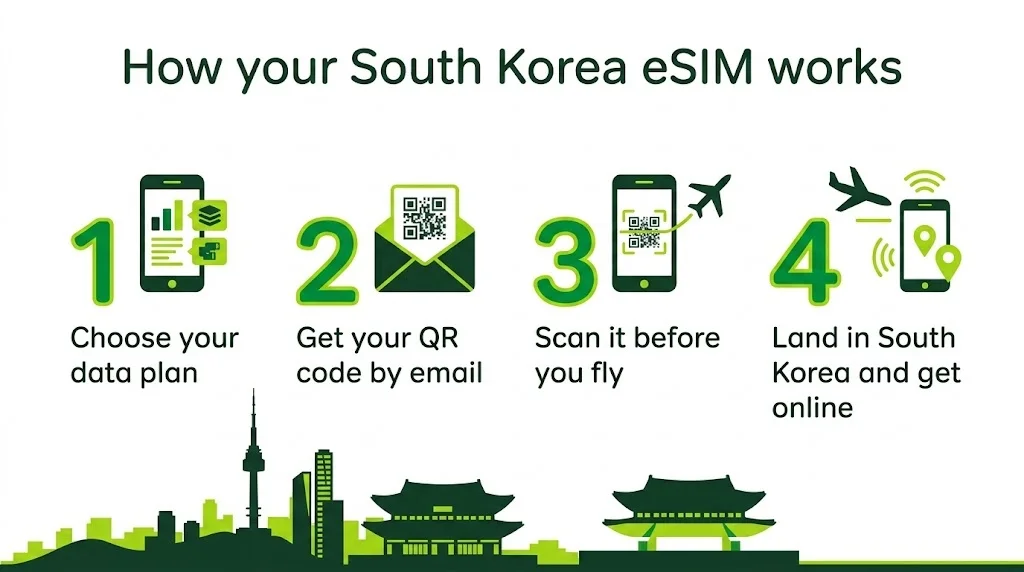
- Choose your plan and pay with PayPal, card or bank transfer.
- We email your eSIM QR code, usually within minutes. It is also saved in My account.
- At home, on Wi-Fi, go to Settings → Mobile Data (or Cellular) → Add eSIM and scan the QR code. Do this before you fly – you may not find Wi-Fi at the airport.
- When you land at Incheon (ICN), Gimpo (GMP), Busan Gimhae (PUS) or Jeju (CJU), switch the eSIM line on and turn on data roaming for it.
Your phone must support eSIM and be unlocked – most iPhones from the XS onwards and recent Samsung Galaxy and Google Pixel phones do. If you see “Add eSIM” in settings, you are good to go. Phone locked to your UK network? See our unlock codes.
Questions about this eSIM
Does an eSIM work in South Korea?
Yes, on any unlocked phone that supports eSIM. It connects to a Korean network as soon as you land.
Is there a Korea eSIM with a phone number?
Not this one – it is data-only. For a Korean number, buy a local SIM with your passport.
eSIM or pocket Wi-Fi?
An eSIM has nothing to collect, return or charge, and works on your own phone. Pocket Wi-Fi suits a group sharing one device, but personal hotspot usually works on travel eSIMs too.
Can I share data with the family?
Personal hotspot usually works on travel eSIMs. Choose a bigger plan if you will share.
Can I use it in the UK?
No – it is a travel eSIM for South Korea. For a UK number, see our UK eSIMs.
Can I get a refund if my trip is cancelled?
Once the QR code has been emailed the order is complete and cannot be refunded, so please check your phone supports eSIM and choose your plan carefully before you buy.
Going on to a nearby country? We also have eSIMs for Taiwan.
Sources (checked November 2026): O2: Travel Bolt On destinations · Three: roaming destinations · Three: roaming prices · EE: Europe zone countries · Vodafone: Roaming Charge Checker · Vodafone: roaming guide and zone prices · Korea Herald: Korea clears map data export for Google (27 Feb 2026) · Korea Herald: Google Maps in Korea still lacks navigation (25 Aug 2026) · VisitKorea: ride-hailing apps for visitors. Roaming prices change – check your own network before you travel.

Reviews
There are no reviews yet.