Huawei UMG1691 locked to the network that sold it? This USB mobile broadband modem was supplied through network contracts and carries a network lock. We work out a permanent factory unlock code from its IMEI. After you enter it, the UMG1691 takes a SIM card from any network.
This unlock code covers: Huawei UMG1691.
How to identify the UMG1691
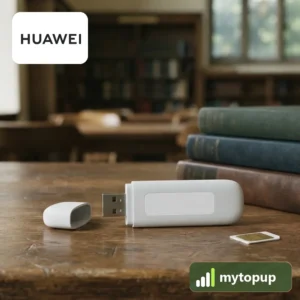
The UMG1691 is a USB data modem made by Huawei. Its model name looks unlike Huawei’s usual E-numbers, which is why owners sometimes are not sure they have a Huawei at all.
Lift the cap or the SIM cover and read the label. It gives the model, written as UMG1691 or UMG 1691, and a 15-digit IMEI. The spacing makes no difference. If your label shows a different UMG number, do not order this one, because each model needs its own code calculation.
How to find the IMEI number
The 15-digit IMEI is printed on the dongle itself – usually on a sticker under the cap or the SIM cover – and the connection software shows it under device information. Each code is made for one IMEI, so please copy it carefully – we can’t refund a code made for a wrong IMEI.
How to unlock the dongle
- Insert a SIM from a different network into the UMG1691.
- Plug the modem into your computer and open its connection manager.
- When the manager reports a locked or invalid SIM, enter the code from our email.
- Accept, then unplug and reconnect the modem.
- Add the new network’s APN if it does not go online on its own.
If it doesn’t ask for the code
If the connection manager gives an error but never asks for a code, remove the old network software and try a generic program or a different computer. Confirm the SIM is from another network and has no PIN. Should the code be refused, do not keep trying, as there is a limited number of attempts. Email info@mytopup.co.uk with your order number and a clear photo of the label.
How long does it take?
Most codes are sent within minutes, and normally within 6 hours. Orders placed late at night UK time may take until the next morning.
Questions
Is the UMG1691 really a Huawei? Yes. It is a Huawei-made modem that was sold under a network's own model name. The label inside normally shows the Huawei name next to the UMG1691 model number, along with the IMEI we need.
Can I unlock the UMG1691 without a computer? No. Because it is a USB modem, it needs a computer, or a router that supports it, to show the unlock box. A laptop with the connection manager installed is the simplest way to enter the code.
Will unlocking delete anything? No. The unlock code only removes the network lock. Nothing else on the device is changed.
Reviews
There are no reviews yet.