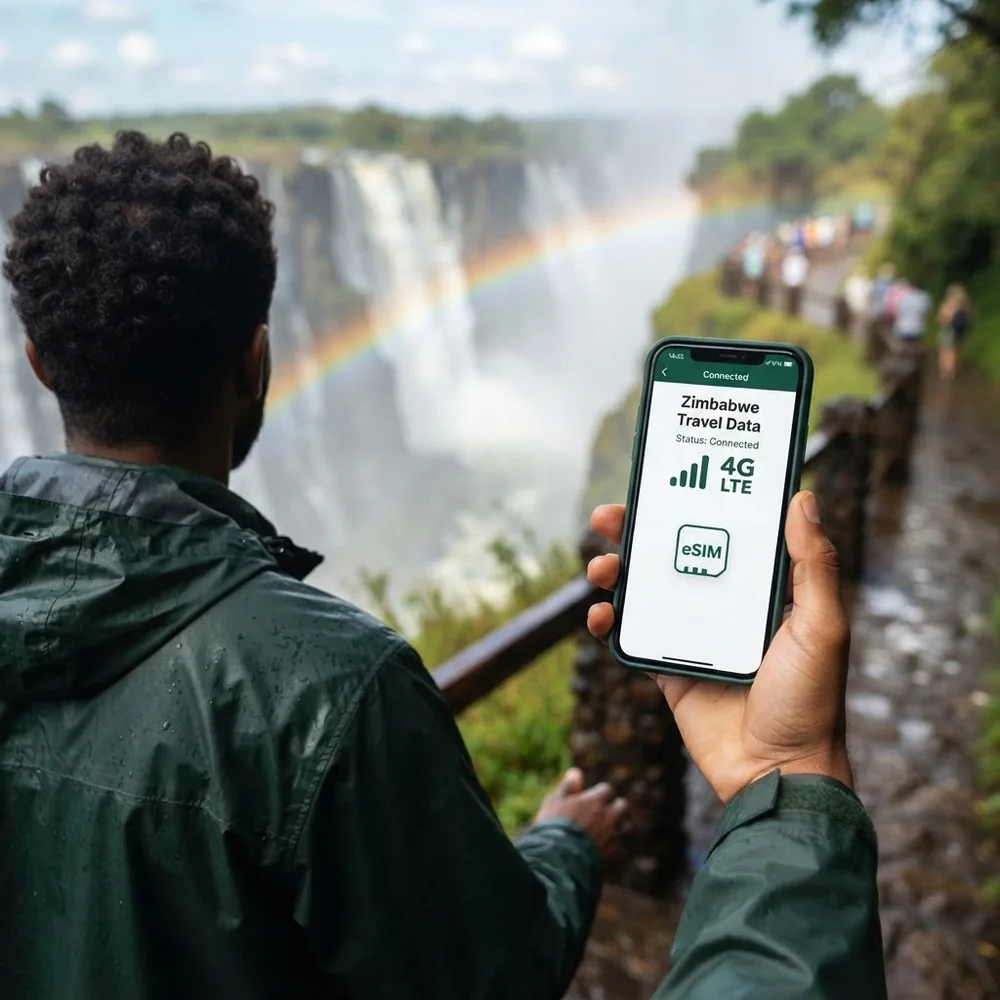
A Zimbabwe eSIM gets you online the moment you land in Harare or Victoria Falls, before you have found a SIM shop or changed any dollars. Choose a plan, we email the eSIM QR code within minutes and you scan it at home before you fly. Plans start at £9.97.
It is a data-only eSIM for WhatsApp, maps in Harare and Bulawayo, Victoria Falls activity bookings and messages home, while your UK SIM stays in the phone for calls and bank texts.
Do you need an eSIM for Zimbabwe? For a short trip, it is the quickest way to have data on landing. Zimbabwe is not on O2’s Travel Bolt On list and is not in any Three Go Roam zone, so roaming is charged at standard rates. But we will be straight with you: our Zimbabwe plans are expensive and small. For a long family visit, a local tourist SIM is much better value, and we explain how below.
eSIM Zimbabwe plans and prices
| Plan | Valid for | Price |
|---|---|---|
| 1 GB | 7 days | £9.97 |
| 2 GB | 15 days | £22.35 |
| 3 GB | 30 days | £36.71 |
| 5 GB | 30 days | £218.68 |
Every plan is data-only and works with a Zimbabwean network where there is signal – Harare, Bulawayo, Victoria Falls, Mutare and the main roads.
Which Zimbabwe eSIM plan should I buy?
- Victoria Falls for a few days, or the first week of a longer trip: 1 GB for 7 days (£9.97). Enough for WhatsApp, maps and booking a taxi, with hotel Wi-Fi for the rest.
- Two weeks, light use: 2 GB for 15 days (£22.35).
- A month, light use: 3 GB for 30 days (£36.71).
We do not recommend our 5 GB plan (£218.68): it costs more than six times as much as 3 GB. If you need that much data, buy a local SIM.
So what is the best eSIM for Zimbabwe?
For most UK travellers, 1 GB for 7 days at £9.97: it gets you through arrival, the first few days and a Victoria Falls trip with no queues. Staying longer with family? Use it to land connected, then pick up a local tourist SIM for the rest of your stay.
Do you need an eSIM for Zimbabwe if you are on O2, Three, EE or Vodafone?
- O2: Zimbabwe is not on O2’s Travel Bolt On list, so O2’s standard roaming rates apply. Check them on O2’s roaming pages before you use data.
- Three: Zimbabwe is not in any Go Roam zone. Three lists it under “Rest of the World” for pay as you go; check with Three what you will pay before you use data there.
- EE: Zimbabwe is outside EE’s Europe zone, so normal EE roaming allowances do not cover it. Check the cost in the My EE app before you go.
- Vodafone: we could not confirm which zone Vodafone puts Zimbabwe in. Check Vodafone’s Roaming Charge Checker before you travel.
Visiting family in Zimbabwe: eSIM or a local tourist SIM?
NetOne, one of Zimbabwe’s networks, gives visitors a free tourist SIM or eSIM at the airports. You need your original, valid passport, the SIM is registered before it is handed over, and it stays valid for 90 days. Its data bundles are priced in US dollars and are far cheaper per gigabyte than our plans – check the current bundles on NetOne’s site before you fly.
So our honest advice for a two- to six-week trip home: buy 1 GB from us, so WhatsApp works the moment you land and you can tell everyone you have arrived. Then get the tourist SIM for the rest of the visit, especially if relatives will share your hotspot or you want to video-call the UK every day.
Power cuts, cash and phone signal
The UK government’s travel advice is frank about daily life. It says power blackouts are frequent and sometimes long, and that the Zimbabwean mobile phone network and landlines are unreliable. US dollars are used for most transactions, some businesses do not take cards, and you should carry small notes. In practice:
- Carry a power bank and charge whenever there is power.
- Expect gaps in signal on any network, eSIM or local SIM, and agree with family how you will keep in touch.
- Download offline maps of Harare, Bulawayo and Victoria Falls before you fly.
Victoria Falls, Zambia and the KAZA UniVisa
The UK government says the KAZA UniVisa costs 50 US dollars, lasts 30 days and covers Zimbabwe and Zambia, plus day trips into Botswana; you can get it at Victoria Falls airport and the Victoria Falls border. This eSIM is for Zimbabwe only, so it is not meant for the Zambian side of the falls in Livingstone or a Chobe day trip in Botswana. Plan to use hotel Wi-Fi on those days, or buy a separate plan. Air Zimbabwe has also resumed direct London–Harare flights, according to the same advice.
Does an eSIM work in Zimbabwe? Coverage
Yes. The eSIM connects to a Zimbabwean network in the cities, Victoria Falls town and along the main roads. In Hwange and Mana Pools national parks, the Eastern Highlands and rural areas, signal is patchy or absent on every network.
Keep your UK number for calls and bank texts
Your UK SIM stays in the phone. With two lines active, set the eSIM as your mobile-data line and leave your UK line on for calls and texts, so one-time passcodes from your bank still arrive. Switch data roaming off on the UK line, so it never uses data abroad.
- iPhone: Settings → Mobile Data (or Cellular) → choose the eSIM for Mobile Data and turn off “Allow Mobile Data Switching”. Then open the UK line and turn Data Roaming off.
- Android: Settings → Network & internet → SIMs (on Samsung: Connections → SIM manager) → set the eSIM as the mobile-data SIM and turn roaming on for the eSIM only.
Incoming texts on your UK number are usually free while roaming; making calls on it is charged at your network’s roaming rates.
How to get your eSIM, before you fly or once you are in Zimbabwe
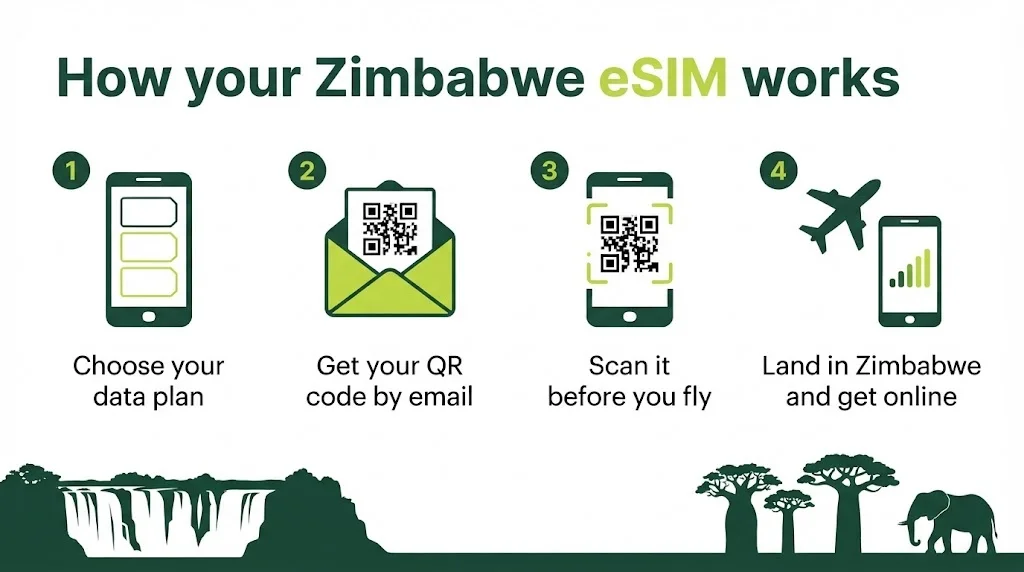
- Choose your plan and pay with PayPal, card or bank transfer.
- We email your eSIM QR code, usually within minutes. It is also saved in My account.
- At home, on Wi-Fi, go to Settings → Mobile Data (or Cellular) → Add eSIM and scan the QR code. Do this before you fly – you may not find Wi-Fi at the airport.
- When you land at Harare Robert Gabriel Mugabe International (HRE), Victoria Falls (VFA) or Bulawayo Joshua Mqabuko Nkomo (BUQ), switch the eSIM line on and turn on data roaming for it.
Your phone must support eSIM and be unlocked – most iPhones from the XS onwards and recent Samsung Galaxy and Google Pixel phones do. If you see “Add eSIM” in settings, you are good to go. Phone locked to your UK network? See our unlock codes.
Questions about this eSIM
Does an eSIM work in Zimbabwe?
Yes, on any unlocked phone that supports eSIM, where there is network signal.
Is a local SIM cheaper?
For anything more than light use, yes. NetOne gives visitors a free tourist SIM with a passport, and its bundles cost much less per gigabyte. Our eSIM is for landing connected and short trips.
Will it work on the Zambian side of Victoria Falls?
No – it is a Zimbabwe eSIM. Livingstone in Zambia and Chobe in Botswana need their own plan.
Does it come with a Zimbabwean phone number?
No – it is data-only. WhatsApp keeps your UK number.
Can I use it in the UK?
No – it is a travel eSIM for Zimbabwe. For a UK number, see our UK eSIMs.
Can I get a refund if my trip is cancelled?
Once the QR code has been emailed the order is complete and cannot be refunded, so please check your phone supports eSIM and choose your plan carefully before you buy.
Going on to a nearby country? We also have eSIMs for Tanzania.
Sources (checked November 2026): O2: Travel Bolt On destinations · Three: roaming destinations · Three: roaming prices · EE: Europe zone countries · Vodafone: roaming · UK government travel advice: Zimbabwe safety and security · UK government travel advice: Zimbabwe entry requirements · NetOne: tourist SIM card. Roaming prices change – check your own network before you travel.



Reviews
There are no reviews yet.