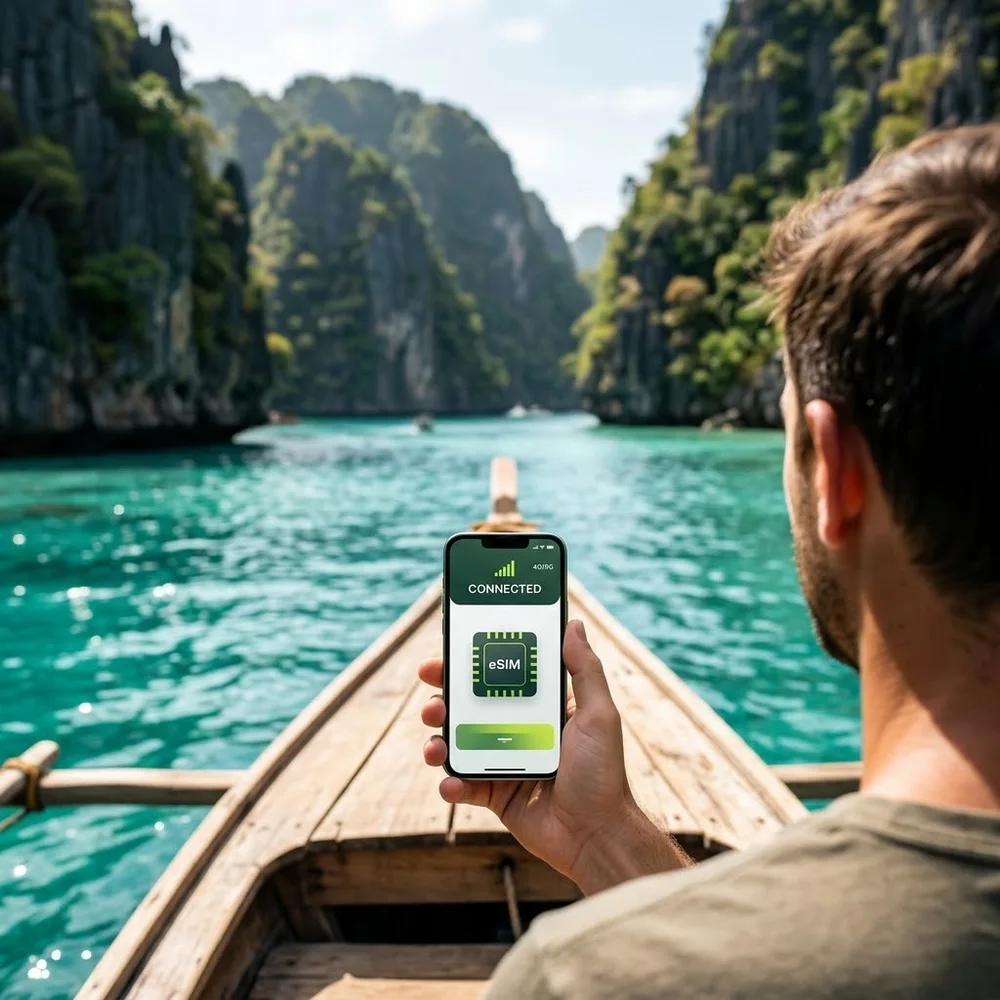
A Philippines eSIM gets you online the moment you land in Manila, Cebu or Puerto Princesa, with no SIM registration queue and no roaming bill. Choose a plan, we email the eSIM QR code within minutes and you scan it at home before you fly. Plans start at £3.15.
It is a data-only eSIM for maps, Grab rides, ferry and island-hopping bookings and WhatsApp or Messenger, while your UK SIM stays in the phone for calls and bank texts.
Do you need an eSIM for the Philippines? For most UK travellers, yes. The Philippines is not on O2’s Travel Bolt On list and Three puts it outside Go Roam altogether, so on those networks you pay standard roaming rates, which add up fast. Local SIMs are cheap, but they must be registered and a tourist SIM is only valid for 30 days. An eSIM is set up at home and works when you land.
eSIM Philippines plans and prices
| Plan | Valid for | Price |
|---|---|---|
| 1 GB | 7 days | £3.15 |
| 1 GB | 1 day | £4.92 |
| 2 GB | 15 days | £5.13 |
| 3 GB | 30 days | £6.30 |
| Unlimited | 3 days | £9.06 |
| 5 GB | 30 days | £9.45 |
| 3 GB | 15 days | £12.19 |
| Unlimited | 5 days | £14.58 |
| 10 GB | 30 days | £14.97 |
| Unlimited | 7 days | £21.27 |
| 20 GB | 30 days | £23.63 |
| Unlimited | 10 days | £27.18 |
| Unlimited | 15 days | £37.80 |
| Unlimited | 30 days | £55.92 |
| 50 GB | 90 days | £156.87 |
| 100 GB | 180 days | £305.89 |
Every plan is data-only and covers the whole country, from Luzon to the Visayas and Mindanao.
Which Philippines eSIM plan should I buy?
- A beach week on Boracay or in Cebu: 3 GB for 30 days (£6.30) – resort Wi-Fi covers the evenings, and it costs less than 3 GB for 15 days.
- Two weeks island-hopping – El Nido, Coron, Bohol, Siargao: 10 GB for 30 days (£14.97) for ferry times, maps and photos.
- Visiting family for three or four weeks: 20 GB for 30 days (£23.63) costs less than 10 days of unlimited. Video-calling home every day? Unlimited for 30 days (£55.92).
- Manila business trip: unlimited for 3 or 5 days (£9.06 / £14.58) for email and laptop work over hotspot.
- Short stopover: 2 GB for 15 days (£5.13) – it costs less than 3 GB for 15 days.
- Staying longer: 50 GB for 90 days (£156.87).
So what is the best eSIM for the Philippines?
For a typical two-week trip from the UK, the 10 GB plan at £14.97. It lasts 30 days, costs less than a week of unlimited (£21.27), and gives you room for maps on every island. If two of you share one hotspot, take 20 GB.
Do you need an eSIM for the Philippines if you are on O2, Three, EE or Vodafone?
- O2: The Philippines is not on O2’s Travel Bolt On list, so O2’s standard roaming rates apply. Check them on O2’s roaming pages before you use data.
- Three: The Philippines is not in any Go Roam zone. Three lists it under “Rest of the World”, where your allowances do not apply and you pay the standard roaming rate.
- EE: The Philippines is outside EE’s Europe zone, so normal EE roaming allowances do not cover it. Check the cost in the My EE app before you go.
- Vodafone: we could not confirm which zone Vodafone puts the Philippines in. Check Vodafone’s Roaming Charge Checker before you travel.
If your plan does not include the Philippines, a fixed-price eSIM avoids a roaming bill you only see when you get home.
The 30-day tourist SIM rule
Under the Philippines’ SIM Registration Act, every local SIM must be registered before it works. Tourists register with their passport, proof of an address in the Philippines and a return or onward ticket, and a tourist SIM is only valid for 30 days before it is automatically deactivated. That registration is done by Philippine networks for their own SIMs. Travel eSIMs like ours are data-only and used with data roaming on, so they are generally treated like roaming. You do not register anything with a Philippine network when you buy from us, and your plan runs for its full validity – up to 90 days on the 50 GB plan. If you are unsure, email us before you buy.
eTravel, typhoons and island ferries
The UK government’s travel advice says you need an eTravel QR code, registered in the 72 hours before you arrive, and that some airlines will not let you board without it. The registration is free. Install the eSIM at home so you can show the code and message your transfer on landing. Most typhoons hit between June and November, and the advice says sea accidents are more frequent in the rainy season, June to December. When the weather turns, ferries and island flights can be cancelled at short notice – data on your phone lets you follow updates and rebook from wherever you are.
Does an eSIM work in the Philippines? Coverage on the islands
Yes. The eSIM connects to a local Philippine network, with 4G and 5G in Metro Manila and Cebu and 4G in the main tourist towns – El Nido, Coron, Puerto Princesa, Boracay, Panglao and General Luna on Siargao. On boat trips between islands, on remote beaches and in the mountains of northern Luzon, signal can drop out on any network. Download offline maps and screenshot your bookings before island-hopping.
Keep your UK number for calls and bank texts
Your UK SIM stays in the phone. With two lines active, set the eSIM as your mobile-data line and leave your UK line on for calls and texts, so one-time passcodes from your bank still arrive. Switch data roaming off on the UK line, so it never uses data abroad.
- iPhone: Settings → Mobile Data (or Cellular) → choose the eSIM for Mobile Data and turn off “Allow Mobile Data Switching”. Then open the UK line and turn Data Roaming off.
- Android: Settings → Network & internet → SIMs (on Samsung: Connections → SIM manager) → set the eSIM as the mobile-data SIM and turn roaming on for the eSIM only.
Incoming texts on your UK number are usually free while roaming; making calls on it is charged at your network’s roaming rates.
How to get your eSIM, before you fly or once you are in the Philippines
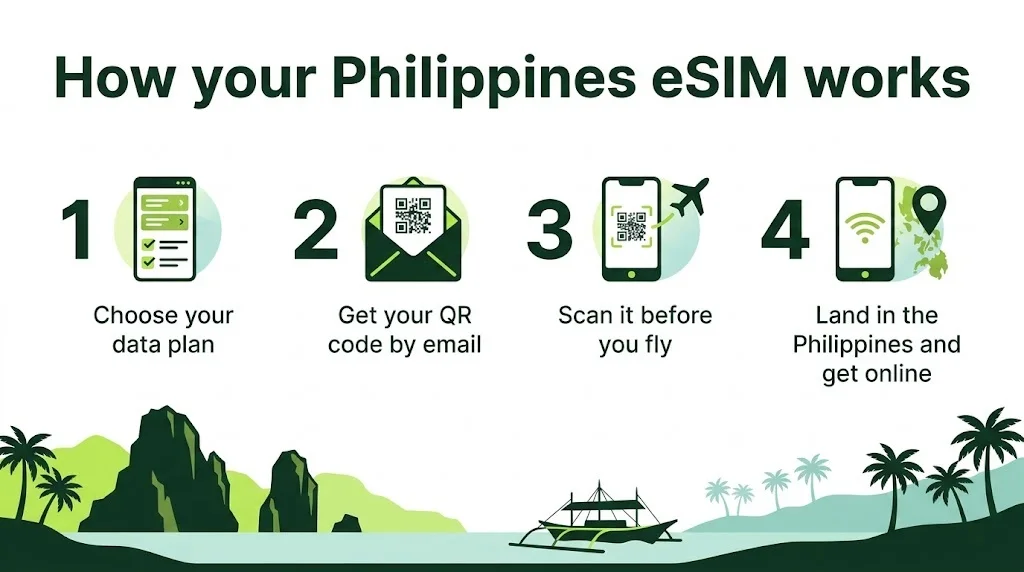
- Choose your plan and pay with PayPal, card or bank transfer.
- We email your eSIM QR code, usually within minutes. It is also saved in My account.
- At home, on Wi-Fi, go to Settings → Mobile Data (or Cellular) → Add eSIM and scan the QR code. Do this before you fly – you may not find Wi-Fi at the airport.
- When you land at Manila (MNL), Cebu (CEB), Clark (CRK), Puerto Princesa (PPS), Caticlan for Boracay (MPH) or Siargao (IAO), switch the eSIM line on and turn on data roaming for it.
Your phone must support eSIM and be unlocked – most iPhones from the XS onwards and recent Samsung Galaxy and Google Pixel phones do. If you see “Add eSIM” in settings, you are good to go. Phone locked to your UK network? See our unlock codes.
Questions about this eSIM
Does an eSIM work in the Philippines?
Yes, on any unlocked phone that supports eSIM. It connects to a Philippine network as soon as you land.
Do I need to register this eSIM under the SIM Registration Act?
The Act covers SIMs sold by Philippine networks. Travel eSIMs like ours run with data roaming on and are generally treated like roaming, so there is no registration step when you buy from us. If you are unsure, email us before you buy.
Does it work in Palawan and Siargao?
Yes, in the towns and resort areas. Between islands and on remote beaches signal can drop on any network, so download offline maps.
Does it come with a Philippine phone number?
No – it is data-only. WhatsApp, Messenger and Viber all work over data with your UK number.
Can I share data with my family?
Personal hotspot usually works on travel eSIMs. Choose 20 GB or unlimited if you will share all day.
Can I use it in the UK?
No – it is a travel eSIM for the Philippines. For a UK number, see our UK eSIMs.
Can I get a refund if my trip is cancelled?
Once the QR code has been emailed the order is complete and cannot be refunded, so please check your phone supports eSIM and choose your plan carefully before you buy.
Going on to a nearby country? We also have eSIMs for Vietnam, Malaysia and Guam.
Sources (checked November 2026): O2: Travel Bolt On destinations · Three: roaming destinations · Three: roaming prices · EE: Europe zone countries · Vodafone: roaming · SIM Registration Act (RA 11934) · UK government travel advice: Philippines entry requirements · UK government travel advice: Philippines safety. Roaming prices change – check your own network before you travel.

Reviews
There are no reviews yet.